 +86 19047020378
 public@ceenovo.com
  +86 19047020378
digital signage media player
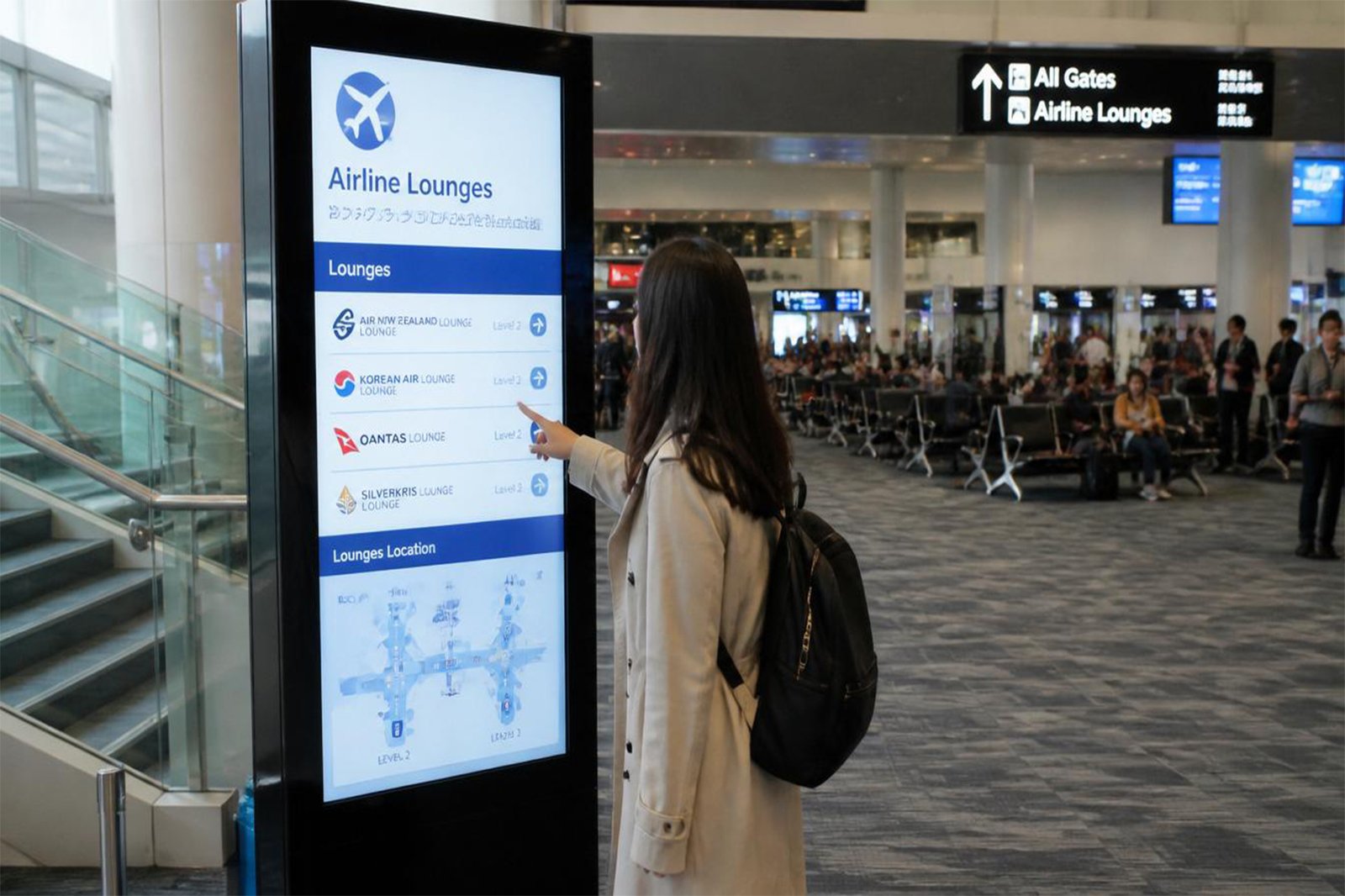
digital signage media player
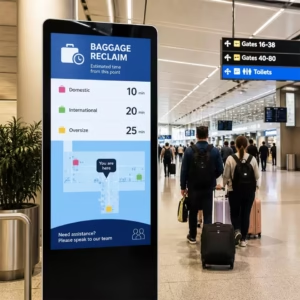
Digital signage, also known as electronic signage Signage(E-signage system), is a multimedia information publishing system that combines software and hardware. Through the coordinated operation of a backend content management platform, media players, and network transmission devices, it can remotely deliver multimedia content such as images, videos, menus, and announcements to various public environments including shopping malls, retail stores, office buildings, and transportation hubs. It enables diversified information communication functions such as centralized management, scheduled content playback, and split-screen display.
A completes smart signage system consists of several core components, including the management platform, media playback devices, transmission network, and display terminals, each playing a unique role within the system. Among them, the hardware device that directly faces the audience and ultimately presents all promotional and informational content is the digital signage media display. It is also one of the most critical elements determining the final visual performance and practical implementation of the entire system. Many people often confuse digital signage media player with household televisions, and are unclear about the irreplaceable value they provide within a complete digital signage ecosystem. Today, let’s take a deeper look at what a digital signage media display really is.
What is a Digital Signage Media Player?
A digital signage media player is a compact computing device specifically designed for commercial and public display applications. As a core hardware component of a digital signage system, its primary function is to decode and output multimedia content. It must be integrated with digital signage displays, and its installation methods generally fall into two categories: one embeds the chipset directly into the internal structure of display devices (kiosks and interactive displays)while the other consists of standalone external playback devices (digital signage players and media player boxes).
Its core capabilities include high-definition multimedia decoding, supporting 4K resolution and mainstream formats such as H.265 and H.264, extensive connectivity options including HDMI, USB, and SD card slots, as well as IP-based remote management functions. These features enable remote content updates, playback scheduling, and device monitoring while ensuring reliable 24/7 continuous operation. In addition, digital signage media players support professional features such as split-screen display, interactive advertising, and dynamic content management.
In terms of applications, digital signage media players are widely used across commercial retail environments for product advertising and digital menu boards, public service sectors for transportation information systems and hospital wayfinding, as well as corporate and educational settings for internal communications and campus announcements.
Compared with conventional media playback devices, digital signage media players offer significant advantages in stability, security, and seamless integration with digital signage software platforms.Built with industrial-grade components and fanless architectures, they are engineered for long-term reliable performance. They also feature integrated CMS software for targeted content delivery and include security mechanisms designed to prevent unauthorized access. Typical products include high-performance ARM-based media players, enterprise-grade HDR playback solutions, and integrated hardware-software systems embedded directly into commercial displays.
How Does a Digital Signage Media Player Work?
Digital signage media players achieve media playback through hardware decoding, content rendering, and network synchronization. Their operating mechanism mainly involves content reception, decoding and output, intelligent control, and remote management. The working principle of a digital signage player is based on the collaboration between hardware and software,including:
1.Reception and Storage The digital signage media player receives multimedia content files (such as videos, images, web pages, etc.) from the content management system via IP networks (wired/wireless) or local storage media (SD cards, USB drives), and caches them in internal storage or memory.
2.Decoding and Rendering Digital signage media players commonly rely on hardware decoding to process multimedia content efficiently. Dedicated video decoding chips (such as VPUs) perform real-time decoding of formats including H.264, H.265, and AV1, preventing CPU overload.
3.Output and Synchronization The processed signals are transmitted to display terminals through interfaces such as HDMI or DisplayPort (DP). In multi-screen applications, synchronization technologies (such as dynamic refresh rate synchronization) ensure consistent and synchronized visual output
4.Remote Management Administrators can remotely update content, adjust playback schedules, and monitor device status in real time (such as temperature and network connectivity) through cloud-based or local management software.
5. Environmental Adaptation Built-in sensors automatically adjust screen brightness according to ambient lighting conditions. Some devices also support AI-based audience behavior analysis (such as dwell time monitoring) to optimize content delivery. 4.Fault Self-Recovery Monitoring modules continuously detect anomalies such as black screens or playback lag, automatically triggering system reboot or switching to backup content, while reporting fault information via the network.
OS Options for Media Players
Digital signage media players are primarily powered by three mainstream operating systems: Android, Windows, and Linux. These platforms are among the most widely adopted solutions in the digital signage industry and are compatible with the majority of commercial signage hardware. Each operating system offers distinct features and advantages, making it suitable for different digital signage and commercial display applications. Based on the analysis above, it is clear that the digital signage media player market continues to show strong growth potential, driven by diverse deployment needs and ongoing technological innovation.
Windows-In the large-format interactive display market, Windows continues to dominate due to its widespread adoption and familiar user experience. Benefiting from strong software compatibility, flexible deployment options, and a mature application ecosystem, Windows-based digital signage players remain a preferred choice for many commercial display and digital signage player manufacturers. Their versatility and wide range of applications enable advertisers to achieve greater operational flexibility and stronger commercial value.
Android-Android digital signage players are becoming increasingly popular worldwide, contributing to smarter and more convenient digital experiences in everyday life. With advantages such as a lightweight architecture, open-source flexibility, user-friendly interface, and a vast application ecosystem, they are particularly well suited for mobile and small-screen devices. In addition, their relatively low hardware and software costs make them a highly cost-effective solution.
Thanks to their strong content compatibility, flexible remote management capabilities, and excellent interactive experience, Android-based digital signage players have gained widespread adoption across industries such as chain retail, transportation hubs, government and enterprise offices, as well as cultural and tourism venues.
Linux-A Linux digital signage player is a digital signage solution based on the Linux operating system, designed to deliver secure, stable, and efficient multimedia playback. Compared with other platforms, Linux-based systems offer greater flexibility, high customization, and dependable performance. Enterprises and digital signage manufacturers can select suitable deployment models according to their business goals, application needs, and technical capabilities.
Media Player Installation Guide
Although a digital signage media player may appear technically complex, the installation and configuration process is generally straightforward when approached step by step. From hardware deployment to remote management setup, following a structured workflow can help ensure stable performance, efficient content delivery, and long-term system reliability.
Prepare the Hardware Installation
Before powering on the device, complete the physical deployment according to your installation environment and hardware type.
Choose the Installation Method
Depending on the device type, select the appropriate installation method, such as wall mounting, floor-standing installation, or embedded integration. All-in-one displays and external media player boxes may require different mounting solutions.
Secure Physical Connections
Connect all required interfaces, including power cables, HDMI/video cables, USB peripherals, and network ports. Ensure that all cables are firmly connected to prevent signal interruption or unstable operation.
Ensure Proper Ventilation
Reserve sufficient space around the media player for airflow and heat dissipation. Poor ventilation can affect system stability and shorten device lifespan.
Initialize the System and Configure
Device Settings Once the hardware setup is completed, power on the device and configure the core operating parameters.
Configure Display Settings
Adjust the screen resolution, refresh rate, and screen orientation to match the display specifications and application requirements.
Calibrate Touch Functions (If Applicable)
For interactive displays, perform touch calibration to ensure accurate response and proper user interaction.
Verify System and Driver Operation
Confirm that the operating system, playback software, and required hardware drivers are correctly installed and running without errors.
Upload Content and Configure Playback
The next stage is preparing and organizing the content that will be displayed.
Import Multimedia Content
Upload media assets through USB transfer, local storage, cloud platforms, or API-based content delivery methods. Content may include videos, images, HTML pages, or interactive media.
Create and Organize Playlists
Build playlists containing multiple media formats and organize content according to campaign goals, departments, locations, or display zones.
Configure Scheduling and Display Layouts
Set playback schedules, time-based content rotation, split-screen arrangements, and multi-window layouts to optimize content presentation.
Connect to the Network and Enable Remote Management
Network connectivity is essential for centralized management and real-time content updates.
Establish Network Connectivity
Connect the media player using wired Gigabit Ethernet for maximum stability, or configure a wireless Wi-Fi connection when cabling is impractical.
Configure Security Settings
Apply security measures such as VPN connections, access controls, or encrypted communication protocols to protect system access and data transmission.
Integrate with a CMS Platform
Connect the digital signage media player to a Content Management System (CMS) or cloud management platform to enable centralized content control, remote monitoring, and device administration.
Perform Final Testing and Quality Checks
Before the system goes live, conduct a comprehensive inspection to ensure reliable operation.
Verify Device Status
Check online connectivity, storage availability, system health, and playback readiness across all connected devices.
Test Remote Functions
Confirm that remote reboot, software updates, content synchronization, and management commands operate correctly.
Preview Content Playback
Run a final content preview to verify display quality, timing schedules, layouts, and transition effects before deployment.
Establish Routine Maintenance Procedures
Long-term maintenance is essential for stable digital signage performance.
Monitor Device Performance
Regularly monitor temperature, CPU usage, storage capacity, and network status to identify potential issues early.
Perform Routine Cleaning and Inspections
Clean device surfaces, inspect cable conditions, and verify ventilation pathways to maintain hardware reliability.
Standardize Maintenance Practices
Implement operational standards such as scheduled updates, controlled shutdown procedures, and regular system checks to support long-term performance and minimize downtime.
Frequently Asked Questions
1.What is a digital signage player?
A digital signage media player is a core hardware or software component within a digital signage system, designed to decode and play multimedia content, including videos, images, and web pages, enabling display terminals to deliver visual information effectively.
2.How to turn TV into digital signage for free?
There are three main ways to deploy digital signage: using a TV’s built-in DTMB digital broadcasting capability, leveraging digital signage apps on smart TVs, or building a customized solution with open-source software.
3.How do I choose the media suitable player for my business?
Choosing the right media player involves a comprehensive assessment of hardware performance, connectivity options, software compatibility, and future expansion needs.