 +86 19047020378
 public@ceenovo.com
  +86 19047020378
The most comprehensive guide to choosing cash registers 2026
 |
For aspiring shop owners, besides defining their store’s positioning, decor, and menu, choosing the right cash register is crucial for operational success. After all, whether in the food and beverage or retail sector, profitability is paramount. A good cash register helps businesses manage revenue and expenses, inventory, staffing, and customer service. But what should we consider when selecting a cash register? How can we choose one that best suits our specific needs?
1. Single-screen smart cash register: As a smart cash register, the single-screen smart cash register takes up less space and is cheaper than the dual-screen cash register. It can also complete functions such as checkout, product management, inventory management and report generation. It is more suitable for small restaurants, fast food restaurants or mom-and-pop convenience stores with little need for user interaction, and has the best cost performance.
2. Dual-Screen Smart POS Machine: The biggest difference between a dual-screen smart POS machine and a single-screen smart POS machine is the distinction between the main screen and the customer screen. Cashiers can operate the POS machine via touchscreen. The customer screen, facing the customer, is mainly used to confirm order amounts and information, display payment QR codes, advertisements, and promotional information. It can also display menus, amounts due, and advertising carousels, saving on the production and printing costs of promotional materials, achieving better advertising and interactive effects, and providing more efficient and user-friendly customer interaction. Dual-screen smart POS machines can be applied to restaurants, milk tea shops, coffee shops, bakeries, cake shops, supermarkets, clothing stores, chain convenience stores, and hotels, among other places.
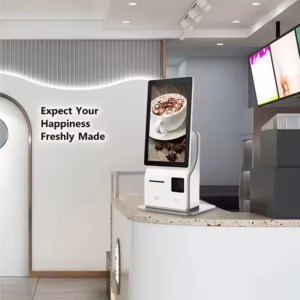
3. Self-service ordering kiosks are designed for restaurants with high customer traffic. They enable quick order taking, payment processing, and order processing, essentially acting as a cashier without breaks. This helps alleviate peak-hour congestion and reduces queuing time for ordering and payment. The kiosks display the menu; customers simply select their desired dishes on the touchscreen to place their order directly with the kitchen and complete payment simultaneously. Chain restaurants like McDonald’s, KFC, and Burger King often install self-service ordering kiosks at their entrances for rapid order processing. They are also suitable for chain restaurants, unmanned restaurants, and even visitor registration terminals in service halls.
4. Barcode Scanner Box The barcode scanner box is the smallest POS device, taking up minimal space on the checkout counter and easy to move and install. It supports both scanning and receiving QR codes, thus functioning as a barcode scanner. After the cashier enters the amount, the scanner box screen generates a unique QR code for payment, one code per transaction, preventing fraudulent transactions. The scanner box also includes voice announcements, allowing shop owners to know the payment status without looking at the screen during busy periods. Because the scanner box can recognize QR codes, it can also be used as a mini ticket verification terminal, suitable for small breakfast shops, convenience stores, or outdoor event stalls.
Weighing and POS Machines: Weighing is an essential function in farmers’ markets, fresh fruit stores, supermarket fruit and vegetable sections, and hot pot restaurants. Weighing and POS machines combine weighing and payment, simplifying the process and reducing repeated queues.